


Resprite: pixel art studio
4.5112.00 Reviews
App Specs
- Version
- 1.32.0
- Updated On
- License
- Free
- Downloads
- 100,000+
- Developer
- Fengeon
- Categories
- Art & Design
- Platform
- Android
Screenshots
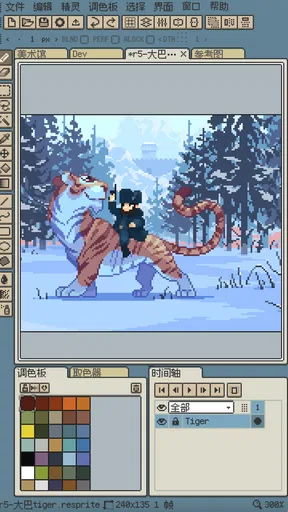
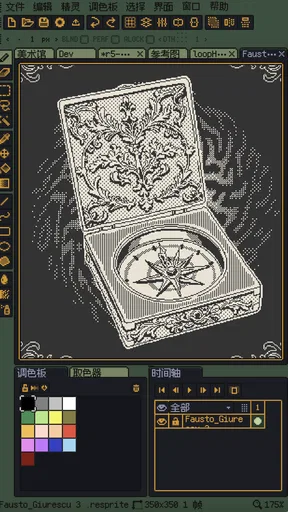
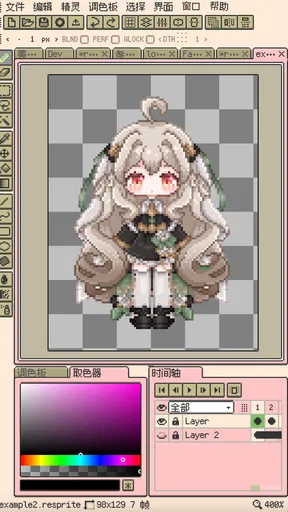
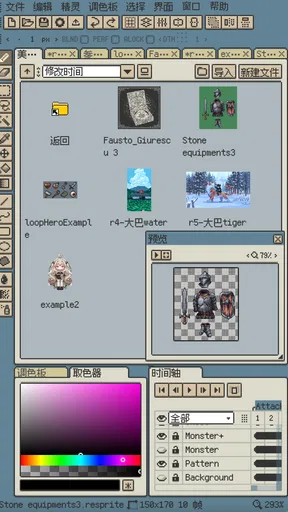
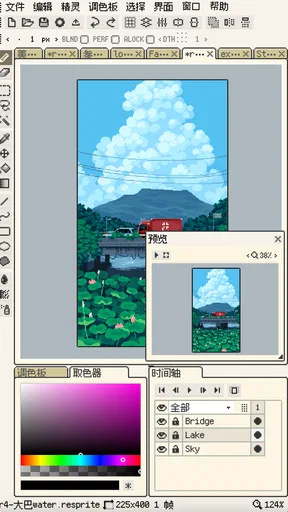
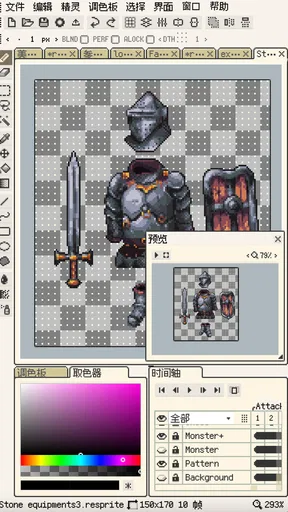
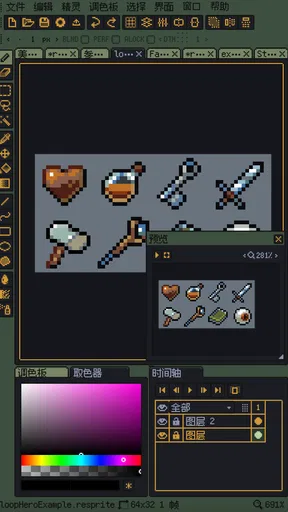
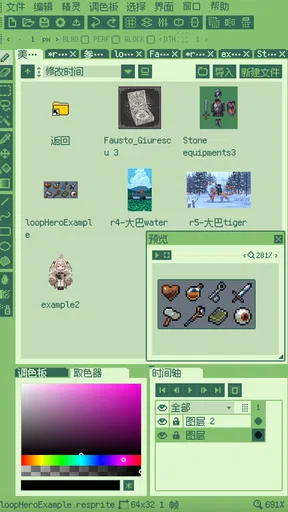
 Analysis by AppCompare
I’d start with a small canvas and a simple goal: a little icon, a game prop, or a character with just a few poses. That makes it easier to learn how Resprite: pixel art studio fits into your routine before committing to a larger project. I find pixel art most satisfying when each edit has a purpose, and a focused first exercise is a better test than opening the app and trying to master every tool at once.
Getting Started with Resprite
So, let's kick things off with the basics. Installing Resprite: pixel art studio was a breeze. Just a quick visit to the app store, a tap on the download button, and voilà! It's up and running. The interface is clean and intuitive, which is a godsend if you’re not in the mood to wrestle with complicated menus. It feels like the app was designed to get you creating without any fuss.
Where a new workflow can snag
Even a friendly interface has a learning curve. Pixel art asks for deliberate choices: a single misplaced pixel can change a face, soften an outline, or make a shape feel uneven. On a phone-sized screen, I’d expect precision work to take more patience than it would with a mouse and a larger display. I’d zoom in for detailed edits, then zoom back out regularly to check whether the sprite still reads at its intended size.
Animation adds another kind of friction. A drawing that looks clear as a still image can feel confusing once it moves, especially if the silhouette changes between frames. I’d begin with a short loop and keep the character’s main shape consistent before adding small details. That gives me a clearer way to spot whether a movement feels intentional or whether I’ve simply shifted pixels by accident.
Features That Spark Creativity
Now, onto the features! What I love about Resprite is how it packs a punch with its toolkit. Whether you're a newbie or a seasoned artist, there's something here for everyone. The layer system is robust, allowing you to stack and organize your work effortlessly. This is particularly handy when you're creating complex scenes.
The color palette is another highlight. It’s extensive and customizable, letting you craft the perfect hues for your art. Trust me, nothing beats the feeling of nailing that perfect shade of pixel blue!
Oh, and did I mention the animation capabilities? Yes, Resprite lets you bring your pixel characters to life with a simple yet powerful animation toolset. It's like having a mini animation studio right in your pocket!
Worth Reading Before You Choose

EA SPORTS FC Mobile 26 Is a Bigger Football Game, but It Takes Time

Flipboard Shows What News Apps Must Do Beyond the Feed

Switching to Android Auto Means Rethinking Your Driving Routine

Google Calendar Makes a Crowded Week Easier to Manage

Ludo King Makes the Most of the Minutes Between Plans

Baby Panda World Brings Quick Play to Modern Phones, but Its Game Library Feels Busy
Setup checks before a longer session
Before I settle into a detailed drawing, I decide what the artwork is for. A tiny avatar, a tile, and a sprite for animation call for different proportions, so sketching the rough silhouette first saves me from polishing the wrong shape. I also choose a limited set of colors early. A deliberate palette makes edits easier to compare and helps keep the finished piece cohesive.
Layers are most useful when I give them clear jobs rather than treating them as a pile of backups. For example, I might keep a character’s outline separate from its color fills, or isolate a moving detail from the rest of a sprite. That makes corrections less risky: I can adjust one part without repeatedly repainting the whole image. The trade-off is that extra organization can slow down a tiny doodle, so I wouldn’t build a complicated layer structure for every quick sketch.
If I’m testing an animation, I look at the motion before adding polish. A walk cycle or blinking expression is easier to judge when I first focus on the major pose changes. Once those read clearly, I can refine the small details. This is a practical way to avoid spending time perfecting a frame that later needs to be redrawn to fit the movement.
User Experience: A Smooth Ride
One of the things I appreciate most is how smooth the app runs. No lagging or crashing here, folks. It's optimized well, so you can focus on your creations without worrying about losing your progress. Plus, the app supports various file formats, making it a breeze to share your masterpieces or continue working on them across different platforms.
For a realistic everyday use, imagine having a few minutes between tasks and wanting to design a small game item. I’d make a compact draft, keep the colors restrained, and use separate layers only where they make revision easier. If the idea works at a glance, I’d return later to refine it; if it doesn’t, the short session still gave me a useful sketch rather than a half-finished, overworked scene.
Recovering a project without making it worse
When a drawing starts to look wrong, I try to identify the kind of mistake before changing several things at once. If the outline feels lumpy, I inspect it at close range and then check the silhouette zoomed out. If the colors seem muddy, I simplify the palette temporarily and compare the main light and dark areas. For animation, I review the sequence one frame at a time and look for a sudden shift in shape or position. These small checks make it easier to correct the actual problem instead of layering more edits over it.
I’d also treat a working file and a finished export as different things. Keep an editable version for future changes, and make a separate copy when preparing an image to share or use elsewhere. That habit is useful in any art tool, especially when a project may need a different size, palette, or animation pass later. If an expected file doesn’t behave as planned, I’d first confirm that I’m opening the intended version and that the chosen format suits the next step in my workflow.
When the app may not be the cause
Not every frustrating result points to a problem with the editor. A sprite can look awkward because its canvas proportions are wrong for the intended use, or because the contrast disappears when viewed at normal size. An animation can feel jerky because the poses differ too much, not because the tools are failing. I’d check the artwork at its actual viewing scale and make one controlled adjustment at a time before starting over.
It also helps to separate creative preference from technical trouble. A palette that feels too bright may need restraint, while a file that won’t continue smoothly in another tool may involve format compatibility. Resprite’s appeal is that it brings drawing and sprite animation into one mobile workspace, but it isn’t automatically a replacement for a desktop editor, a general illustration app, or a dedicated production pipeline. If I need extensive work across many assets or a larger-screen interface for very precise editing, I’d choose a tool built around that setup instead.
Who will get the most from it
Resprite makes the most sense for someone who wants to draw pixel art directly on a mobile device and occasionally animate what they make. Beginners can use it to practice clean outlines, restricted palettes, and simple motion without first assembling a desktop setup. More experienced artists may appreciate having a portable place to sketch sprites or revise an idea away from their main workstation.
I’d be more cautious if your main goal is broad digital painting, vector illustration, or managing a large professional project with a desktop-centered workflow. Pixel-focused tools are intentionally specialized; that focus is a benefit when you want crisp, grid-conscious artwork, but a limitation when you need the flexible brushes and spacious canvas of a general art program. It is free to start, while in-app purchases range from $1.99 to $23.99 per item, so I’d try the basic workflow first and decide whether any paid option is worthwhile for how I actually work.
Community and Support
Another gem is the community support. The app has a thriving user base, and there's plenty of inspiration and tips floating around. Whether you're troubleshooting or looking for feedback on your work, there's always someone ready to help. The developers are also quite responsive, frequently rolling out updates to improve the app and squash any pesky bugs.
Made by Fengeon, this art-and-design app has a 4.7 average from around 1,500 ratings, with over 100,000 installs. It is rated for Everyone, and its current version is 1.29.2, with Android 7.0 or later required. Those details make it approachable for a wide range of users, though I’d still check that my own device and preferred workflow suit drawing on a touchscreen before building a project around it.
Final Thoughts
So, is Resprite: pixel art studio worth it? In my honest opinion, absolutely! It’s a fantastic tool for anyone looking to dive into the world of pixel art. With its user-friendly interface, extensive features, and supportive community, it’s a no-brainer for both casual doodlers and serious artists alike.
So go ahead, give it a whirl and let your creativity run wild. Who knows, you might just create the next pixel masterpiece!
Pros
- Intuitive interface for beginners.
- Wide range of pixel art tools.
- Supports multiple layers.
- Customizable color palettes.
- Exports in multiple formats.
Cons
- Lacks advanced animation features.
- Occasional performance lags.
- No built-in tutorial guides.
- Limited cloud storage options.
- In-app purchases for extra features.
FAQs for Resprite: pixel art studio
What platforms is Resprite: pixel art studio available on?
Resprite: pixel art studio is available for both Android and iOS devices. You can download it from the Google Play Store for Android devices and the Apple App Store for iOS devices. This ensures that users across different platforms can access and utilize its features seamlessly.
What features does Resprite offer for pixel art creation?
Resprite offers a wide range of features tailored for pixel art enthusiasts, including customizable brushes, layer support, a comprehensive color palette, and grid overlays for precision. Additionally, it provides tools for animation, allowing users to create and export sprite sheets directly within the app.
Is Resprite suitable for beginners in pixel art?
Yes, Resprite is designed to be user-friendly and accessible for beginners. It includes an intuitive interface with helpful tutorials and guides. Beginners will find the app easy to navigate, allowing them to start creating pixel art without feeling overwhelmed by complex tools or options.
Does Resprite support importing and exporting files?
Resprite supports both importing and exporting capabilities. Users can import images to edit and transform them into pixel art. The app also allows exporting of finished projects in various formats such as PNG and GIF, making it easy to share artwork across different platforms and devices.
Are there any in-app purchases or subscriptions required in Resprite?
While Resprite is free to download, it offers in-app purchases to unlock additional features and tools. These purchases are optional, and users can still access a wide range of basic features without them. However, subscribing or purchasing add-ons can enhance the overall experience by providing more advanced tools.


